

- Landing and getting the apps set up
- Making payments without a Brazilian bank account
- Language, menus, and ordering strategies
- Where drivers meet you and how to guide them
- Timing expectations and peak-hour realities
- Handling problems: wrong items, delays, and refunds
- Safety and etiquette with deliveries
- Working the system: promos, subscriptions, and saving money
- Picking up orders yourself: when it’s smarter
- Local customs and what to expect from the food
- Using Rappi and iFood features that matter as a traveler
- Final tips for a smoother experience
Landing and getting the apps set up
When you arrive in brazil, the fastest way to feed yourself after a long flight is usually a delivery app. iFood and Rappi dominate most cities, and both let you order from restaurants, bakeries, and convenience stores. Start by downloading whichever app you prefer from the App Store or Google Play. You’ll see both names in the app stores, so pick one or install both — having both increases coverage.
Create an account with an email and a phone number. If you use your home country number, expect potential issues with SMS verification or 3D Secure messages from your bank. The most reliable approach is a local SIM or eSIM with a Brazilian number; it smooths verification and driver contact. If you don’t want a local number, enable international roaming or ask your bank to authorize overseas transactions before you travel.
Both apps ask for a delivery address right away. Brazilian addresses use a postal code called a CEP (format: 00000-000). Enter the street, number, neighborhood (bairro), city, and CEP. If you live in a building, include block (bloco) and apartment number. Add any gate or intercom code in the “notes” or “door instructions” field — drivers rely on those details to reach you.
Making payments without a Brazilian bank account
Tourists rarely have local bank accounts, but you can still pay. Both platforms accept international Visa and Mastercard credit cards in most cases. Add your foreign card in the payment section, and try to verify it before ordering. If your bank blocks the charge as suspicious, call them or use their app to authorize international purchases.
Apple Pay and Google Pay sometimes work as shortcuts if the app supports them; that avoids entering card numbers. Cash-on-delivery remains an option in certain locations, though it’s less common than card or digital payment. If you plan to pay in cash, keep small bills handy — drivers don’t always have change for large notes.
Expect a breakdown on the checkout screen: food price, delivery fee, possible service fees, and tips. Delivery fees vary by distance, time, and demand. A small-order surcharge is common if the restaurant imposes a minimum.
Language, menus, and ordering strategies
Menus are primarily in Portuguese. You don’t need to be fluent to use the apps. Learn a handful of key words: “prato” (dish), “porção” (portion), “bebida” (drink), “sem” (without), “acompanha” (comes with). Use your phone’s translate feature or the app’s built-in translation if available. Photos on menus help a lot — scroll through them to confirm portion size and ingredients.
Look for delivery-friendly cuisine when you’re jet-lagged: pizzas, sandwiches, rice-and-beans plates, and snack items travel well. If you want to try local specialties, seek out açaí bowls, pão de queijo, coxinha, tapioca, and regional dishes like feijoada (listed on certain restaurant menus). Check reviews and delivery times — a top-rated seafood place might take longer and arrive colder than a nearby rotisserie.
When customizing, be precise. Use the note box to specify no onions or extra sauce, and put clear gate instructions. Avoid ambiguous shorthand; write the full code for the intercom and explain where to wait if the building’s main entrance is closed. Drivers appreciate short, actionable instructions.

Where drivers meet you and how to guide them
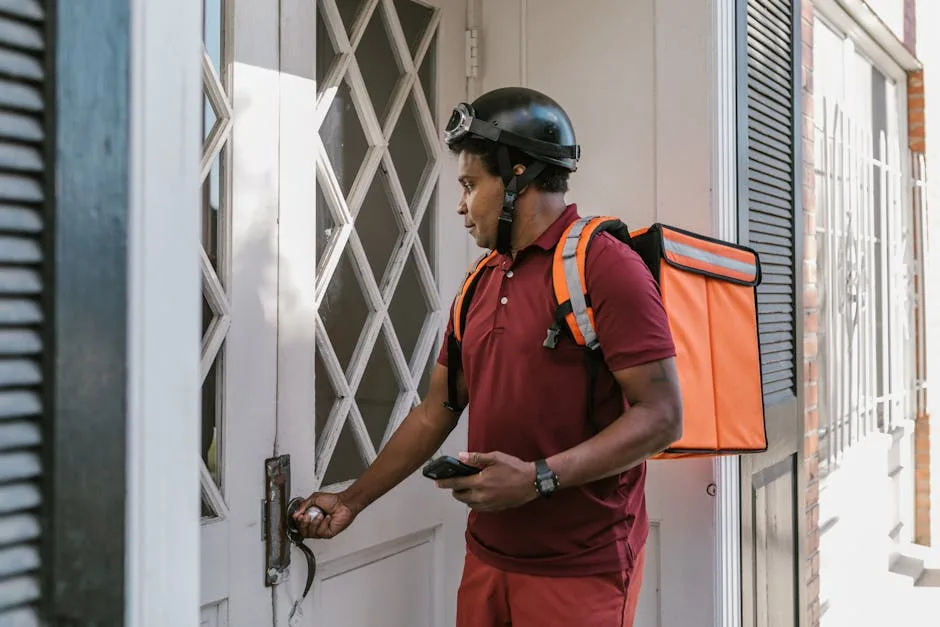
Expect three common scenarios: the driver brings the order inside your lobby, meets you at the building entrance, or waits outside on the sidewalk. In gated communities or high-rise buildings, leave clear pickup instructions: which gate, which block, and the best place to park. If the driver calls and you miss the call, the app will usually provide an in-app message or a map pin.
WhatsApp is a standard tool for Brazilian delivery drivers. If your phone number is set up for WhatsApp, you’ll often get a message from the driver asking where exactly to meet. If you don’t use WhatsApp, the driver will call your mobile number; answer promptly. If you’re staying in a hotel, ask the front desk for a preferred delivery protocol — some hotels accept deliveries at reception while others prefer drivers meet guests in the lobby.
Timing expectations and peak-hour realities
Avoid ordering at rush hour unless you have time to wait. Dinner between 7:00 and 10:00 PM is the busiest stretch in most cities. Lunch rush runs around 12:00–2:00 PM on weekdays. During these periods, delivery times double and cancellations increase. Plan ahead when you can: order 30–60 minutes before you want to eat if you’re trying a popular restaurant or need food at a specific time.
Weather affects delivery times dramatically. Heavy rain, traffic jams, and public events slow drivers down. If the app shows a long estimated delivery time, consider ordering from a closer spot, choosing pickup, or phoning the restaurant to confirm preparation time.
Handling problems: wrong items, delays, and refunds
Not every order runs perfectly. If something is wrong — a missing item, a cold dish, or a driver who cancels — document it. Take a photo of the order and keep the in-app receipt. Both iFood and Rappi provide in-app support where you can open a complaint and request a refund or partial credit. Be concise and factual in your complaint: say which item was missing, attach a photo, and request a refund or replacement.
Response times vary. If you need a quick fix and the driver is still nearby, contact them directly via the app or by phone. If the app support is slow and the restaurant is close, call the restaurant and ask whether they will prepare a missing item for pickup. Keep receipts if you’re seeking reimbursement from your credit card company — having the timeline and screenshots helps your case.
Safety and etiquette with deliveries
Delivery drivers work under pressure. Treat people politely, confirm the total before handing cash, and avoid long delays at the door. If meeting in public, choose a safe, well-lit spot. Never ask drivers to leave personal information or to follow you to private locations beyond basic delivery points.
Ratings matter. Drivers and restaurants rely on your rating to get more work. If everything was fine, give a fair rating and leave a brief comment. If there was a serious problem, state facts in the review so the platform can act. Tip if you can — drivers appreciate the gesture, especially in cities where earnings per delivery are low.
Working the system: promos, subscriptions, and saving money
Both platforms run promotions and offer subscription options that reduce delivery fees. Promo codes appear as banners or pop-ups for new users; glance at the top of the app for limited-time discounts. Subscriptions remove delivery fees for eligible restaurants and occasionally include exclusive vouchers — if you plan to order frequently, a short subscription trial can pay off.
Timing your order can also save money. Mid-afternoon orders sometimes have lower delivery fees because demand is lighter. Look for combo or family-meal options when ordering for two or more; these often reduce per-person cost. When using coupons, read terms carefully: some exclude certain restaurants or minimum spend thresholds.

Picking up orders yourself: when it’s smarter
Pickup is an underrated convenience. If you’re near a restaurant and want to skip delivery delays or fees, choose the “retirar” or pickup option. Pickup is ideal when you’re sightseeing and strolling past a neighborhood bakery or when you live in a building where drivers struggle to enter. Pickup orders usually appear faster because they bypass the delivery queue.
Show the confirmation screen to the restaurant staff when you arrive. If the restaurant asks for a name, use the name on your order. For popular spots, ring ahead or use the app’s pickup timer to coordinate: you don’t want to arrive before the kitchen finishes your order.
Local customs and what to expect from the food
Brazilians eat at varied times. Lunch is often a more substantial meal than dinner in many regions. Portions can be generous, and rice and beans are staples on many menus. Street-food snacks are widely available and travel well — think savory pastries and fried goodies sold at bakeries and snack shops. Expect sauces to arrive separately in many cases; Brazilian restaurants sometimes package dressings and toppings to preserve texture during transit.
If you have allergies or dietary restrictions, be explicit. Many menus lack English allergy flags. Use the notes box to write the restriction clearly in Portuguese if possible: “No nuts” or “Sem nozes.” If it’s critical, call the restaurant and ask to speak to someone who handles food preparation.
Using Rappi and iFood features that matter as a traveler
Both apps offer features beyond restaurant delivery. You can order groceries, pharmacy items, or cash delivery in some cities. If you need cash and the app offers a cash-out or courier-to-ATM option, check fees carefully before using it. For urgent supplies, the convenience option saves time, even if price-per-item is higher than in-store.
Look for filters that highlight fast delivery, special deals, or popular items. Use the search bar to find cuisines: “sushi,” “pizza,” “hambúrguer,” or “padaria” for bakeries. Save addresses for frequently visited places so you don’t have to retype gate codes each time.
Final tips for a smoother experience
Install both apps when you arrive and compare estimated delivery times and fees. Keep a small stack of change for cash payments and tipping. Save common Portuguese phrases for delivery interactions or rely on quick translations. If you plan to stay a while, pick up a local SIM or eSIM immediately; it solves verification and driver communication problems.
Be patient during peak hours and bad weather. When things go wrong, document the issue and file a concise request for help through the app rather than venting on social media — the in-app support channel resolves most disputes. Treat drivers with the same courtesy you expect, and you’ll find ordering in Brazil with iFood or Rappi straightforward and often a highlight of your trip.